How to Join MOJO Club
Step-by-step guide — the whole process takes about 3 minutes
1
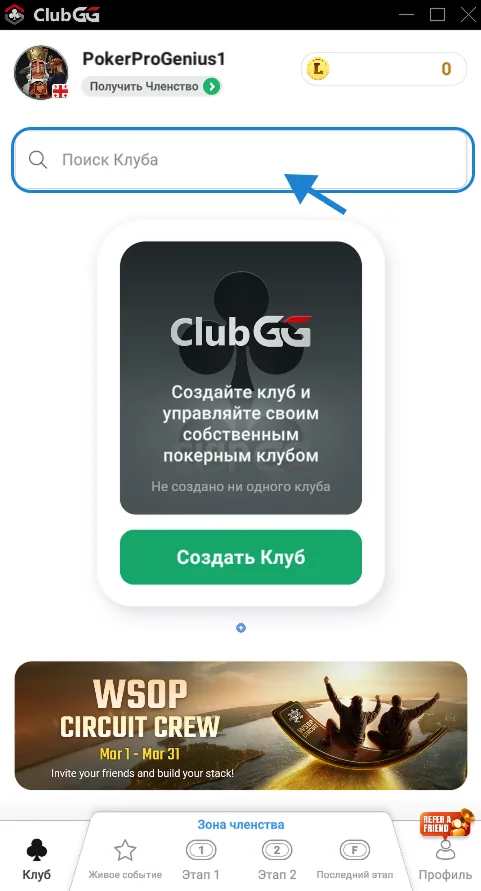
Open the "Clubs" section in the app
Launch MOJO and sign in. On the main screen you'll see a "Search Club" bar at the top — tap it. This opens the club search form.
2
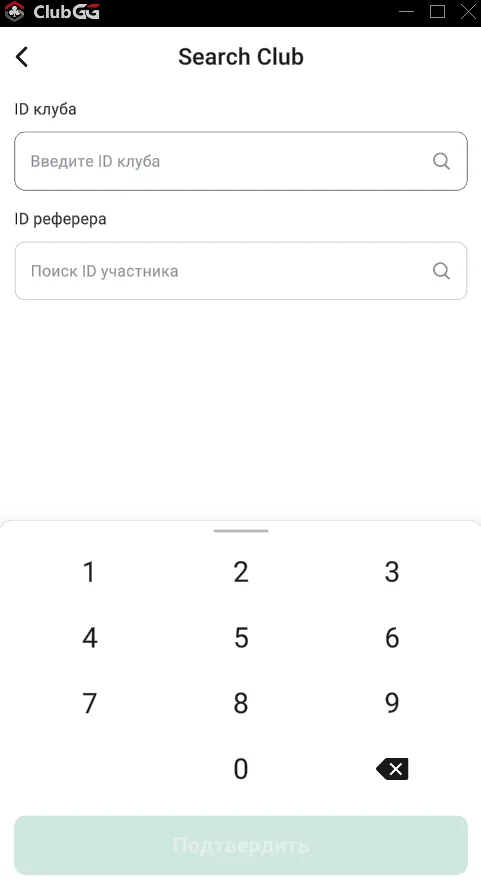
Enter the Club ID and Referrer ID
A form with two fields will open:
•"Club ID" field — enter the ID of the desired club from the list below
•"Referrer ID" field — enter the MOJO referral code so we can find you and approve your request
After filling both fields tap "Confirm".
MOJO Clubs
MOJO : MU
Poker Union
MOJO : ALLIN
Private Club
Referral Code
Required — links all bonuses to your account
3
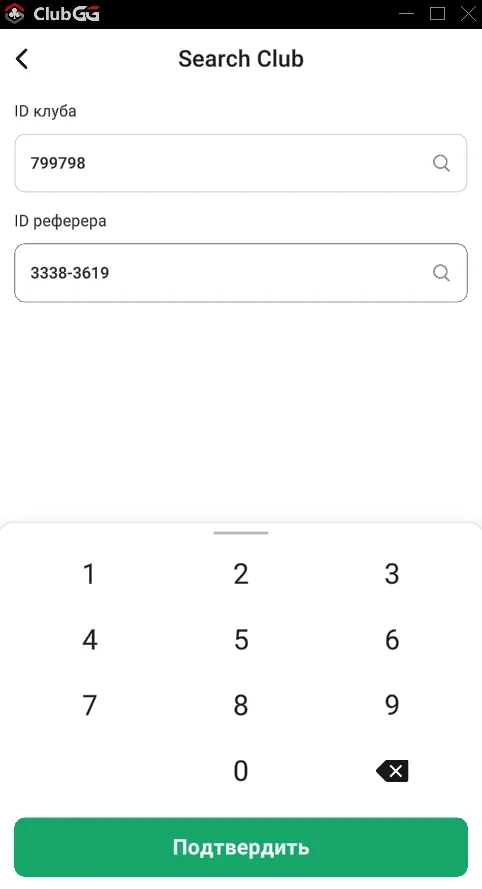
Form filled — tap "Confirm"
Make sure both fields are filled: Club ID and Referrer ID (3383-3619). Once done, the "Confirm" button becomes active — tap it.
Note: If the "Confirm" button is not active — check that both fields are filled.
4
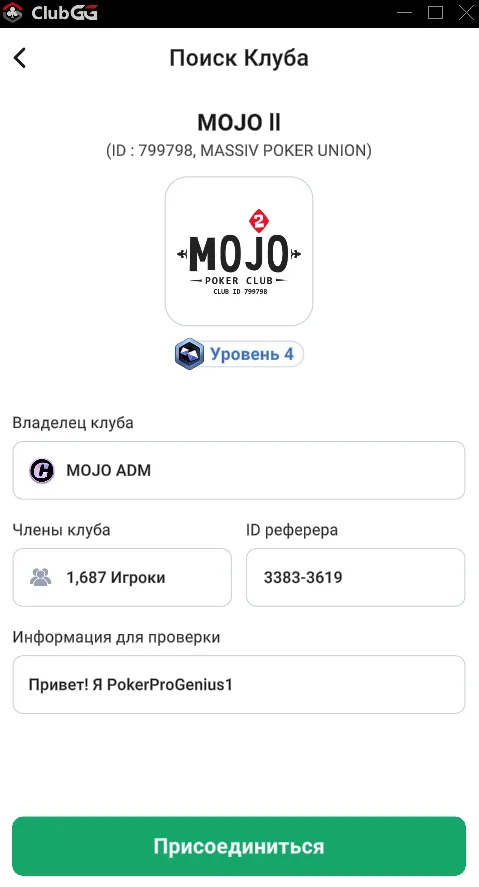
Club page — tap "Join"
The MOJO club page appears. You'll see:
•Club name and ID
•Number of members
•"Verification info" field — write a short greeting, e.g. "Hi! I'm [your nickname]"
Then tap the green "Join" button at the bottom of the screen.
Note: Fill in the "Verification info" field — this speeds up approval.
5
Message the manager on Telegram
Request sent — now message the manager on Telegram. Include:
•Your ClubGG nickname
•Which club you want to join (MOJO : MU or MOJO : ALLIN)
Approval usually takes just a few minutes. The manager may ask a few questions.
How to get chips to play
Message the manager on Telegram — they'll explain everything about chips and guide you through the next steps.
Ready to sit down?
Join MOJO today — the manager will get you chips and a seat within minutes.