How to Create a ClubGG Account

Step-by-step guide with real screenshots from the app

1

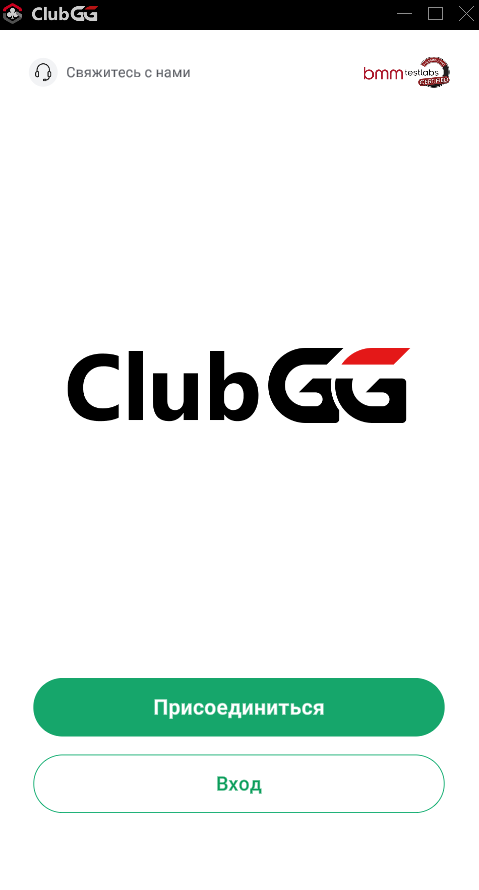
Open the MOJO App

Launch MOJO. On the main screen tap «Join» — it opens the GGPass registration form.

Open the MOJO App
2

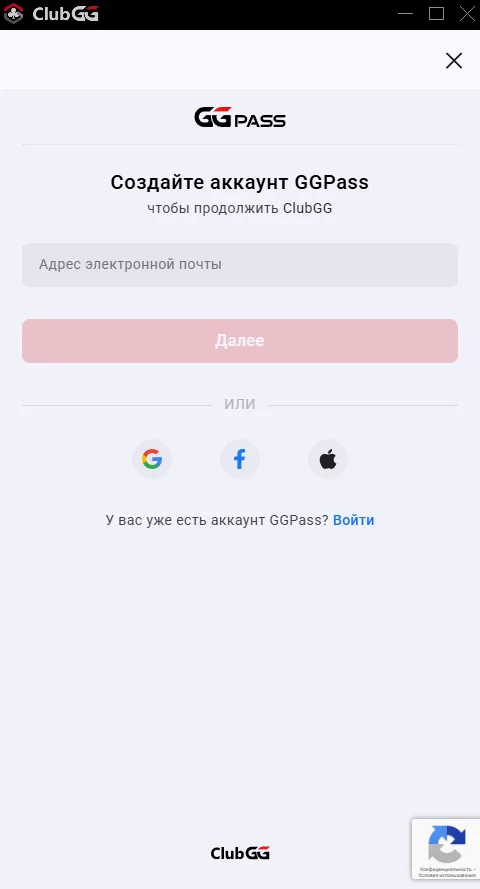
Enter your Email

The GGPass form opens. Enter your email address and tap «Next». You can also sign in via Google, Facebook, or Apple.

Enter your Email
3

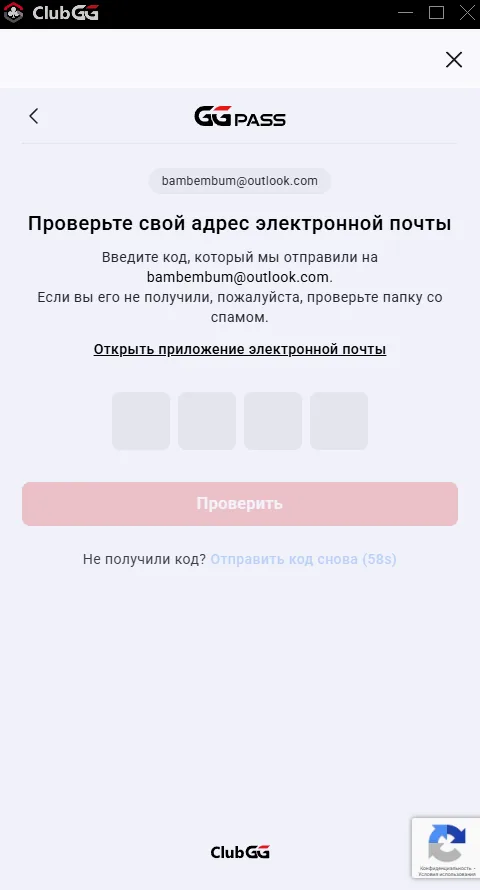
Verify your Email

A 4-digit code will be sent to your email. Enter the code in the fields. If no email arrived, check Spam or request a new code.

Note: The code is valid for 60 seconds. If it didn't arrive, tap «Resend Code».
Verify your Email
4

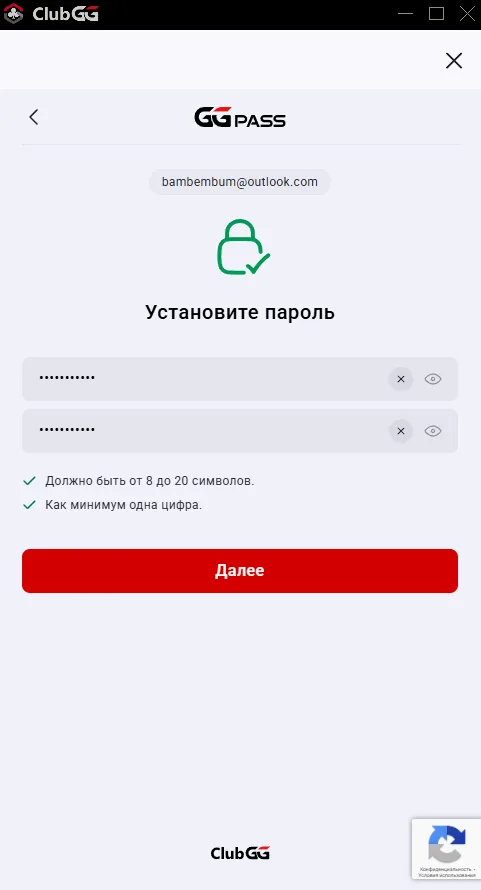
Set a Password

Create a strong password and enter it twice. Password requirements: 8–20 characters, at least one digit.

Set a Password
5

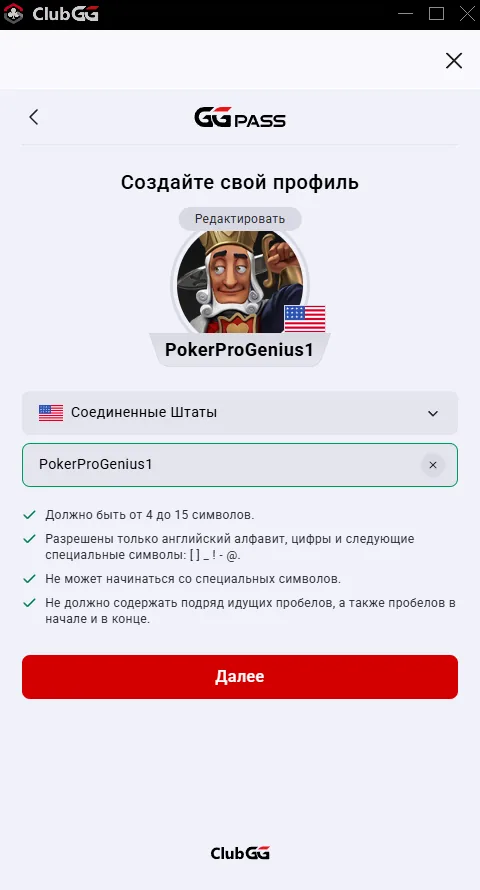
Create your Gaming Profile

Choose an avatar and country, then create a nickname. Requirements: 4–15 characters, latin letters, digits and [ ] _ ! - @ only. Nickname must not start with a special character.

Create your Gaming Profile
6

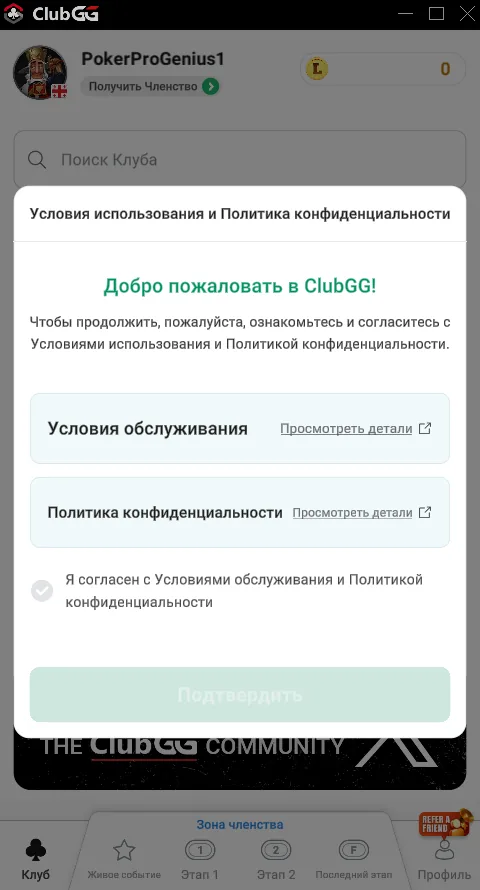
Accept Terms of Service

Review the Terms of Service and Privacy Policy. Check «I agree» and tap «Confirm».

Accept Terms of Service
7

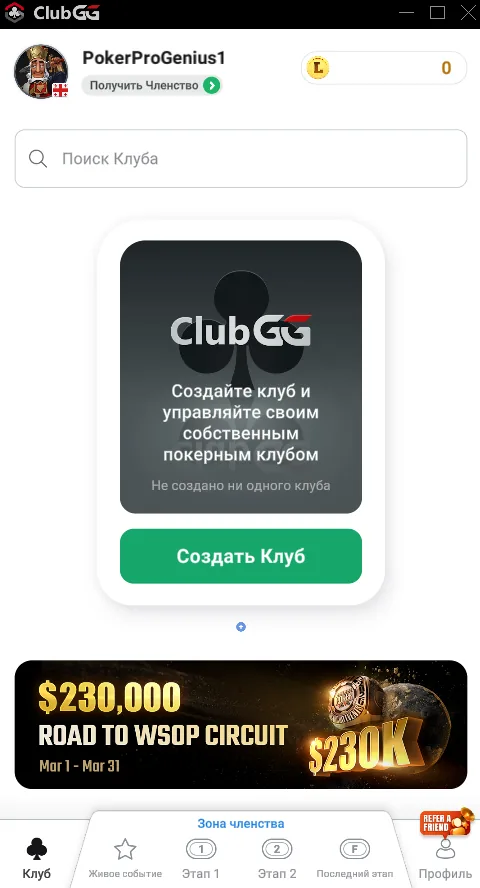
Account Created — You're in MOJO!

Registration complete. You'll land on the main app screen. Now find the MOJO club via the search bar and send a join request.

Account Created — You're in MOJO!
Required for registration
Attention — MOJO : MU only

If you are not in one of the countries below — you must register your account using VPN. Otherwise — account ban.

VPN Countries
USA Germany France UK Canada
How to do it
  1. 1Connect VPN and select a country from the list
  2. 2Register your ClubGG account
  3. 3Disconnect VPN
  4. 4Log into ClubGG — no VPN needed anymore
NEXT STEP
Connect to the MOJO Club

Account is ready — now find and join the club

Connect to Club

Ready to sit down?

Join MOJO today — the manager will get you chips and a seat within minutes.

Telegram